Key points
To build forms online, you only need a browser and a form builder such as Reuily. There is nothing to install.
Start from scratch, from a template, or by importing a form you already have in Typeform, Jotform or Google Forms.
Add your questions and match the design to your brand. If you need it, use Flows to show each person only what applies to them.
Share a link, a QR code or an embed on your website, then read every response in one place.
On this page
- What you need to build forms online
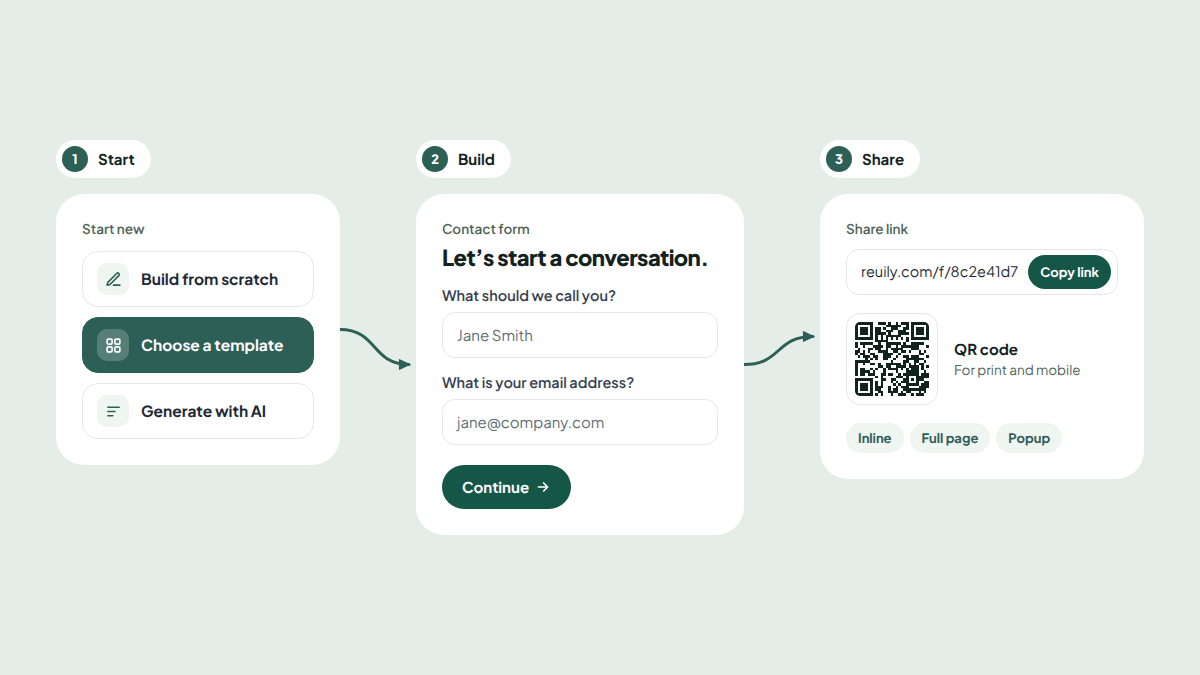
- Step 1: Choose how to start
- Step 2: Add your questions
- Step 3: Make it match your brand
- Step 4 (optional): Show each person what applies to them
- Step 5: Share your form or add it to your website
- Step 6: Collect and use your responses
- Forms you can build online
- Tips for forms people finish
- Build your first form
- Frequently asked questions
Whether you need a contact form, a job application or a customer survey, you can build forms online in Reuily in a few minutes.
Each step below uses the labels you will see on screen, so you can follow along in another tab.
What you need to build forms online
A free Reuily account is all you need to create forms online. Every plan includes unlimited forms, unlimited responses and unlimited views, so you never have to delete old forms to make room.
Step 1: Choose how to start
Start a new form (opens in a new tab) and the Create new form window gives you three choices under Start new:
- Build from scratch (opens in a new tab). Start with a blank form and design every detail yourself.
- Choose a template. Pick a ready-made form from the template library, such as a contact form, a job application or an event registration, and change what you need.
- Generate with AI. Describe the form in plain words and Reuily drafts it for you. This is included on paid plans.
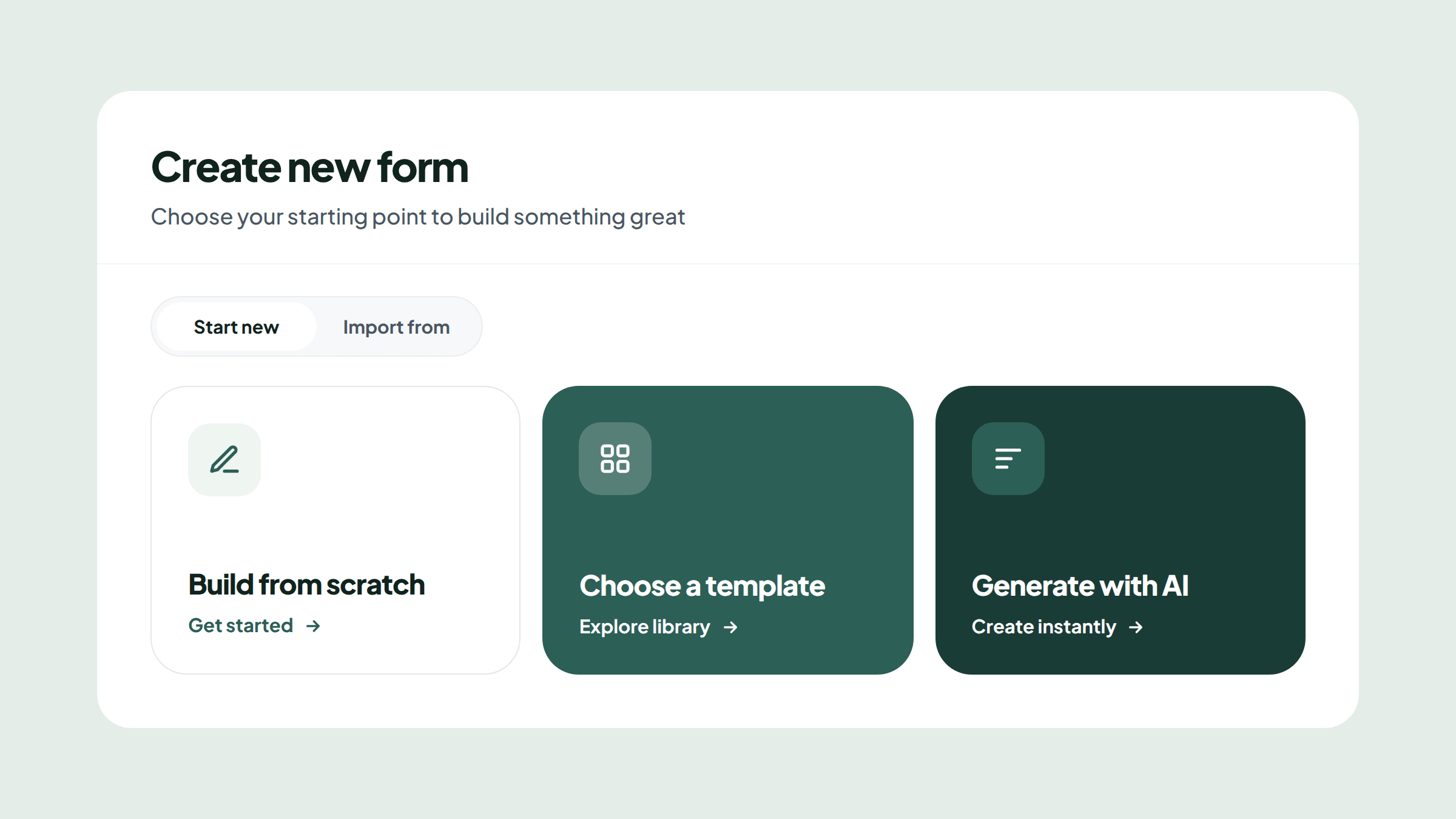
Already have a form somewhere else? Under Import from, paste a link from Typeform, Jotform or Google Forms, and Reuily rebuilds it for you.
Step 2: Add your questions
Add your questions page by page. Reuily has a question type for most things you will want to ask:
- Text: Short Text, Long Text, Email, Phone, Number, URL
- Choices: Single Choice, Multiple Choice, Dropdown, Yes / No
- Scales: Rating, Opinion Scale, Net Promoter Score
- Details: Date, Time, Address, Contact Info, File Upload, Signature
You can also add a Welcome Page to introduce your form and a Thank You Page to finish it. Keep one topic per page, so each step feels quick on a phone.
Step 3: Make it match your brand
Open the Style tab and choose a look from the Theme gallery. Then fine-tune it:
- Add your Logo.
- Set your Colors and Background.
- Pick fonts under Text & fonts.
- Style your Answer boxes and Buttons.
Step 4 (optional): Show each person what applies to them
Skip this step if every question applies to everyone.
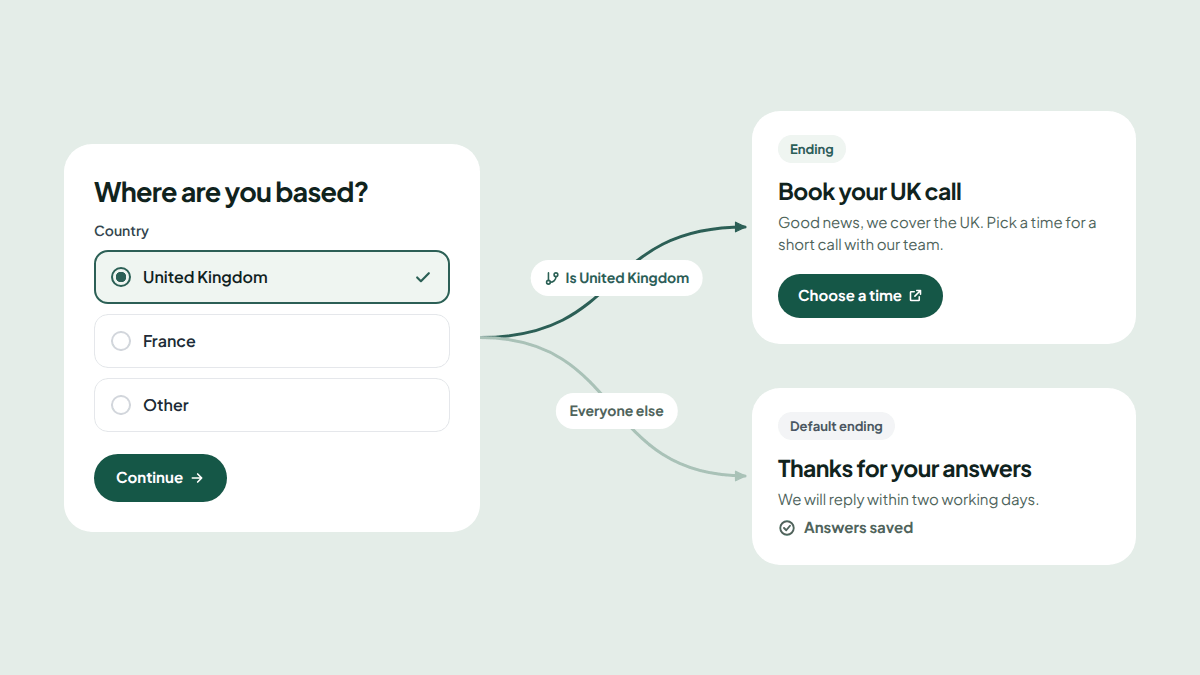
Otherwise, open the Flows tab to add rules. A rule can skip pages that don't apply to someone, or end the form on a Thank You page that fits their answers.
See how conditional logic forms work for a full example.
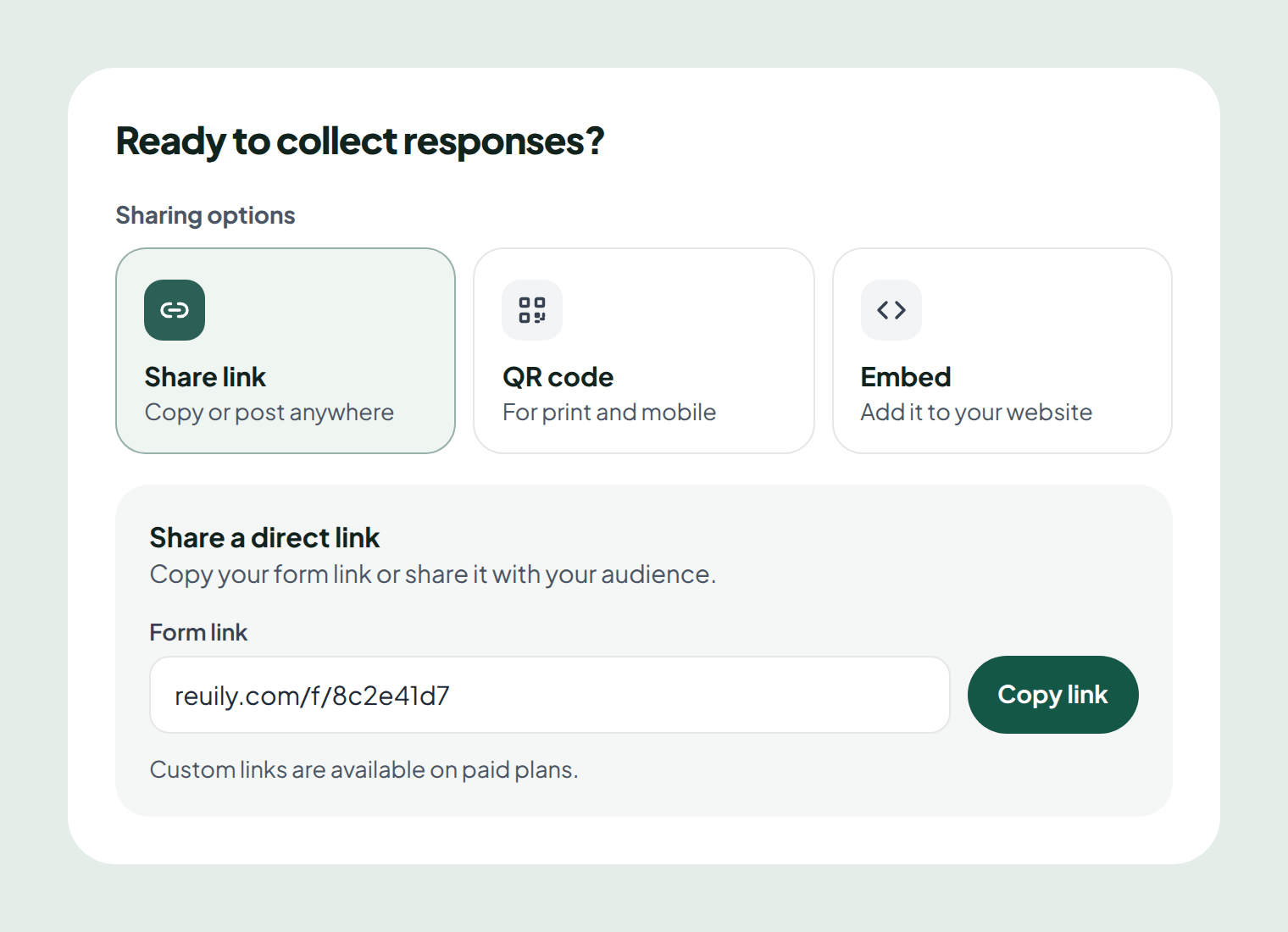
Step 5: Share your form or add it to your website
When your form is ready, click Share. You can:
- Share link: copy your form's link and post it anywhere.
- QR code: download a code for posters, flyers and packaging.
- Embed: add the form to your website inline, as a full page, or as a popup that opens from a button.
Read more about sharing and embedding forms.
Step 6: Collect and use your responses
Every response lands in your form's results, across three tabs:
- Summary: answers, question by question.
- Analytics: how responses come in over time.
- Submissions: every response in full.
Export responses as a CSV file, or send them to Google Sheets automatically. On Pro, webhooks can send each response to your other tools.
Forms you can build online
Start from a template and change what you need:
- Contact form: a fast, friendly way for visitors to reach your team.
- Quote request form: the details you need to price work the first time.
- Job application form: consistent applications, with a file upload for each CV.
- Event registration form: attendee details, so you can host people well.
- Client intake form: the right context before a new project starts.
- Customer feedback form: a rating and the reasons behind it.
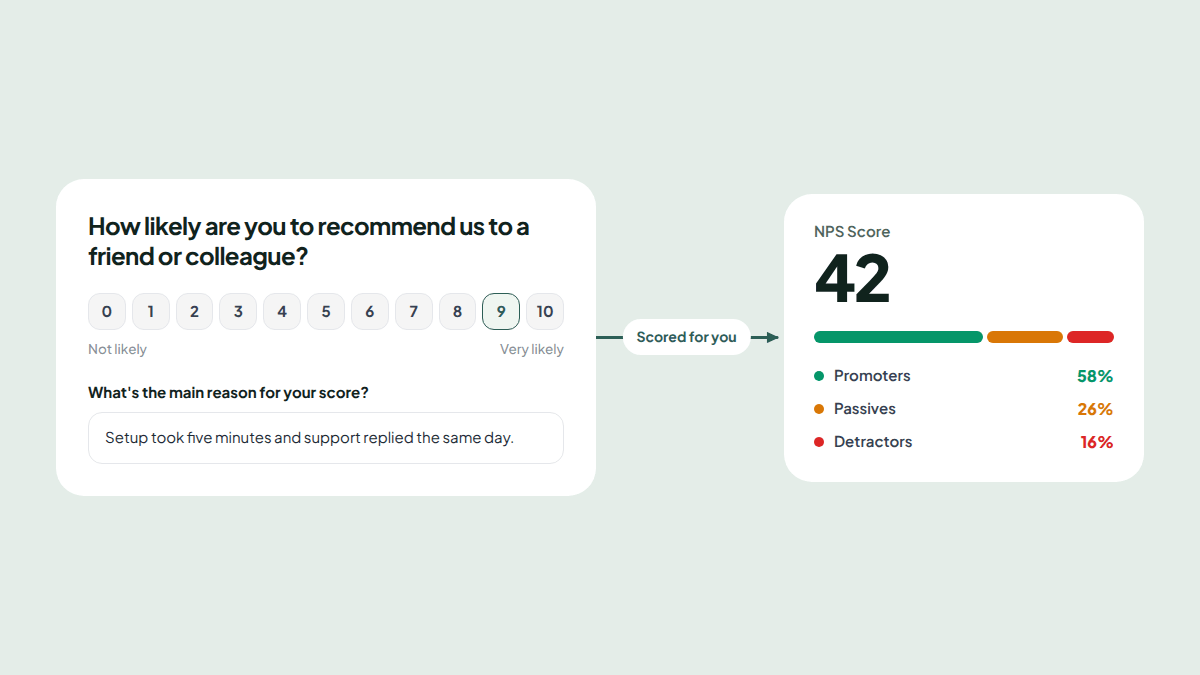
- NPS survey: one loyalty question and the reason for each score. See the NPS survey guide.
Tips for forms people finish
- Ask only what you need. Every extra question is a reason to leave.
- Make only key questions required. Let people skip the rest.
- Use Flows to keep it short. Skip pages that don't apply.
- End with a useful Thank You page. Tell people what happens next.
Build your first form
Reuily is a free online form builder with unlimited forms and responses on every plan.
Create a free account (opens in a new tab) and build your first form in minutes, or browse templates to start from a proven form.
Frequently asked questions
Can I build forms online for free?
Yes. Reuily's Free plan includes unlimited forms, unlimited responses and unlimited views, with Flows, analytics, CSV export and a Google Sheets connection. No card is needed.
Do people need an account to fill in my form?
No. Anyone with the link can open your form and answer it on a phone, tablet or computer.
Can I add a form to my website?
Yes. Reuily gives you embed code in three styles, inline inside your page, full page, or a popup that opens from a button.
Can I move my forms from Google Forms, Typeform or Jotform?
Yes. Paste the link to a published form and Reuily rebuilds its questions, pages, logic and design as a form you can edit. Past responses stay in the original tool.
How many forms can I build?
As many as you like. Every Reuily plan includes unlimited forms and unlimited responses.
What is the best free online form builder?
The best one fits how you work. Look for unlimited responses, logic, integrations and a free plan with no time limit. Reuily's Free plan includes all four, with no card needed.
Can AI build a form for me?
Yes, on paid plans. Choose Generate with AI, describe the form you need in plain words, and Reuily drafts it for you to edit. Pro includes 100 AI form builds a month.