Zapier
Send new responses, leads and people who left a form to thousands of apps with Zapier. Included on every plan, Free too.
Quick answer
How do I connect Reuily to Zapier?
What do I need before I start?
- A published Reuily form.
- A Zapier account. A free one works, with two steps in each Zap.
- For people who leave a form: Pro and up, with Partial submissions turned on.
How do I make a Zap?
- 1
Open Zapier from your form
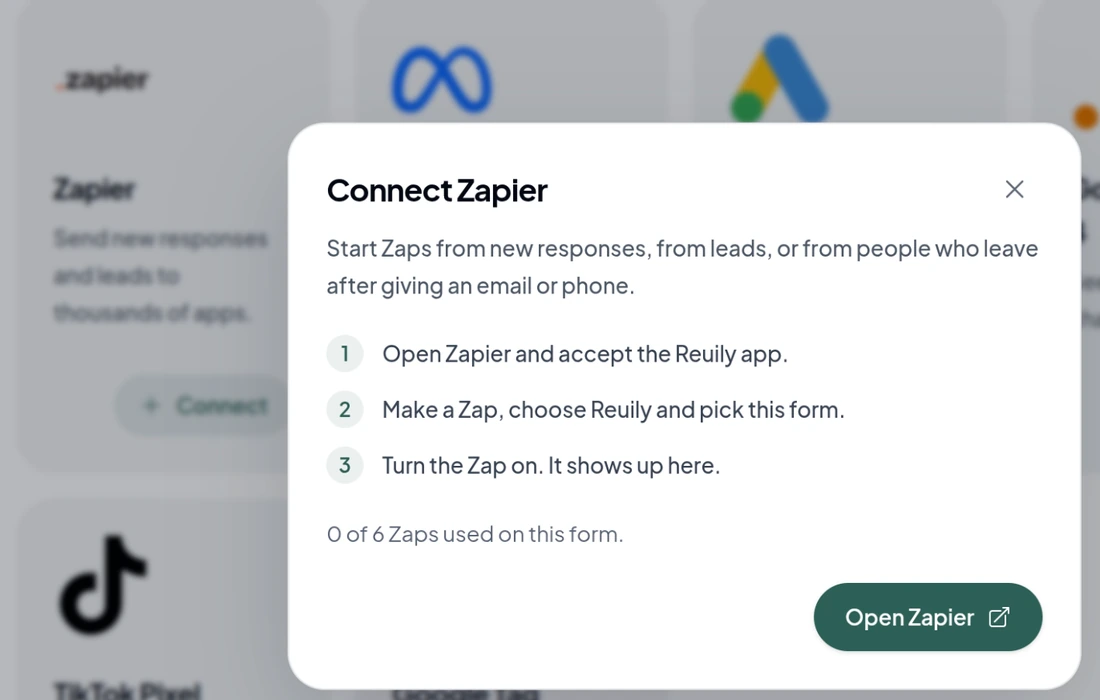
Open your form, go to Integrations and choose Connect on Zapier. Choose Open Zapier. If Zapier asks you to accept the Reuily app, accept it.
- 2
Choose what starts the Zap
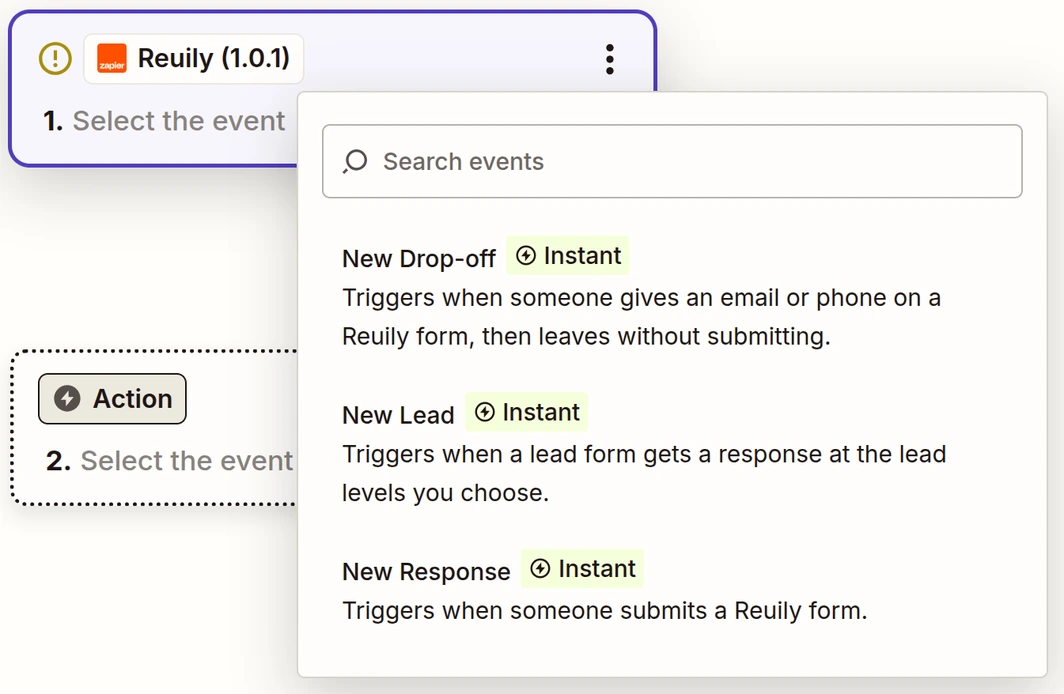
In Zapier, choose Reuily as the trigger app, then pick New Response, New Lead or New Drop-Off.
- 3
Sign in and pick a workspace
Choose Sign in. Reuily opens in a small window. Pick the workspace your form is in and choose Allow. Each connection reaches one workspace. To use another one, sign in again and pick it.
- 4
Pick your form and test it
Choose your form from the list, then choose Test trigger. Zapier loads your latest responses. If there are none yet, it shows an example with your form's questions.
- 5
Add what happens next
Add an action, like a row in Google Sheets, a Slack message or a HubSpot contact. Fill its fields with answers from your form.
- 6
Publish the Zap
Choose Publish. The Zap now runs for every new response, and it shows up in your form's Integrations under Manage on Zapier.
What can Reuily do in Zapier?
A trigger starts a Zap. A search finds something in Reuily. An action makes something in Reuily.
- New ResponseTrigger
- Starts when someone submits a form.
- New LeadTrigger
- Starts when a lead form scores someone at the levels you pick: hot, warm or not a fit.
- New Drop-OffTrigger
- Starts when someone gives an email or phone, then leaves without submitting. Pro and up.
- Find ResponseSearch
- Looks up a response by the Response ID from an earlier step, or by an answer such as an email.
- Create Form LinkAction
- Makes a link to a published form with details already filled in, like an email or a CRM ID.
- Create Form From TemplateAction
- Copies a Reuily template into a new draft form.
See the lead generation form template for a lead form you can start from.
What does each response include?
- Every answer and hidden field, with your question names.
- On lead forms: the lead level and the reasons for it.
- On forms with a calculation: the total, as a number and with its sign, like $200.
- On quizzes: the score, the percent, and whether they passed.
New Drop-Off has no total or score, because those are worked out when someone submits.
What can I build?
- Post hot leads to a Slack channel.
- Add every response to a Google Sheet.
- Turn new leads into HubSpot contacts.
- Email people who left your form a link with their email already filled in.
How many Zaps can one form have?
Free
1 Zap
Pro
3 Zaps
Business
6 Zaps
Enterprise
Set in your agreement
Testing a Zap in Zapier never uses one. Compare plans on the pricing page.
How do I turn a Zap off?
Turn it off or delete it in Zapier. Your form's Integrations lists every Zap under Manage on Zapier, with what starts it and who made it.
To stop every Zap at once, go to Settings, then Security, and under Connected apps choose Disconnect next to Zapier.