Key points
Meta pixel events are actions on your website, such as a form submission, that the pixel reports to Meta for measurement and ad optimisation.
Meta has 17 standard events; use Lead for form submissions and a custom event for anything the list doesn't cover.
A custom event like QualifiedLead becomes something you can optimise for once you create a custom conversion from it.
The pixel runs in the browser, so ad blockers and consent choices can stop it; the Conversions API sends the same events from a server.
On this page
Meta can only find more people who fill in your form if it knows when someone does. This guide lists the Meta pixel events you can send, explains custom events and shows how to track and test leads.
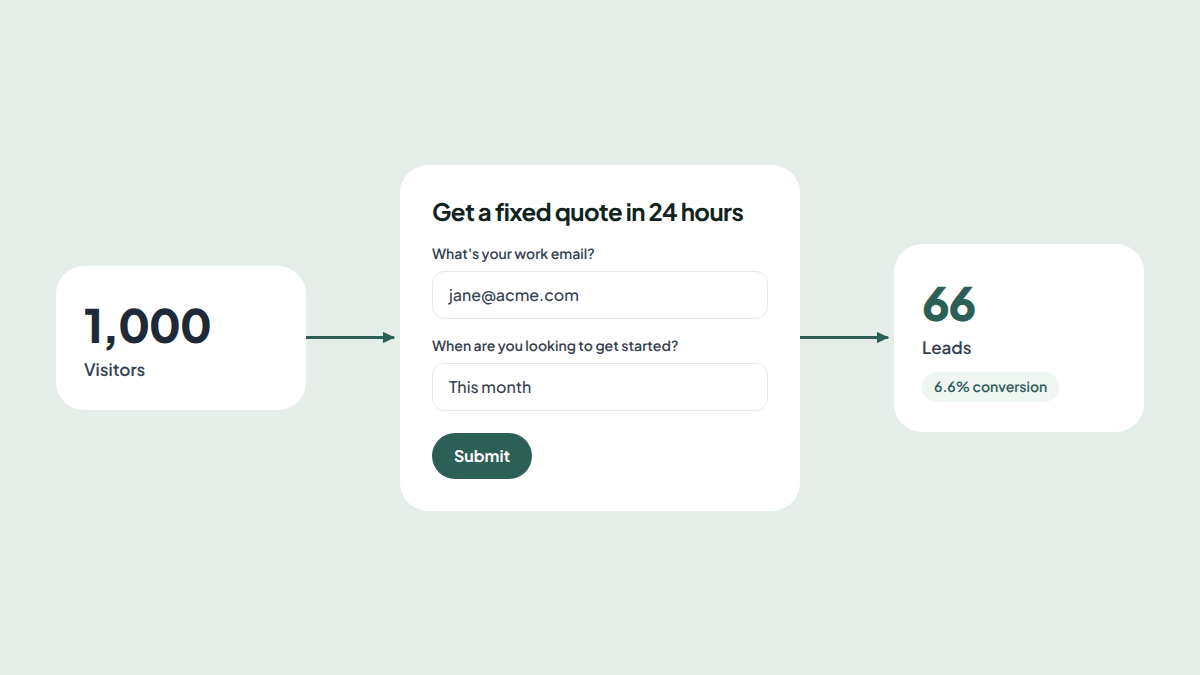
For a lead form, start with the form itself. The free lead generation form template marks every lead hot, warm or not a fit, so you can tell Meta which leads were good, not only how many arrived.
What are Meta pixel events?
Meta pixel events are actions on your website, such as viewing a page, submitting a form or buying something, that the Meta pixel reports back to Meta. Meta uses these events to measure which ads work, to build audiences, and to show your ads to people most likely to take the same action.
The pixel is a small piece of code on your page. Its base code loads the pixel and tracks a PageView. Everything else is an event you send.
Meta pixel standard events list
Standard events are the actions Meta recognises by name. Use one whenever it fits, because Meta can optimise for them straight away.
| Event | Use it when someone |
|---|---|
| Lead | Submits a form to show interest, such as a quote or contact request |
| Contact | Gets in touch by phone, email, chat or text |
| CompleteRegistration | Finishes signing up for something |
| Schedule | Books an appointment |
| SubmitApplication | Applies for something, such as a job, loan or programme |
| Subscribe | Starts a paid subscription |
| StartTrial | Starts a free trial |
| ViewContent | Views a page you care about, such as a product page |
| Search | Searches your site |
| FindLocation | Looks for one of your locations |
| CustomizeProduct | Customises a product |
| AddToWishlist | Adds an item to a wishlist |
| AddToCart | Adds an item to the cart |
| InitiateCheckout | Starts checkout |
| AddPaymentInfo | Adds payment details at checkout |
| Purchase | Completes a purchase |
| Donate | Makes a donation |
The Meta pixel Lead event
For most forms, Lead is the right event. Send it once, after the submission succeeds:
fbq("track", "Lead");You can add parameters to describe the lead. Meta accepts any extra parameters, and you can filter by them when building custom conversions and audiences:
fbq("track", "Lead", { form_id: "quote-request", lead_level: "hot" });Meta pixel custom events
When no standard event fits, send a custom event with trackCustom. Names can be up to 50 characters:
fbq("trackCustom", "QualifiedLead", { form_id: "quote-request" });Custom events appear in Events Manager on their own. To optimise ads for one, turn it into a custom conversion:
- In Events Manager, go to Custom conversions and create one.
- Choose your pixel as the data source and your custom event, such as QualifiedLead, as the event.
- Pick a category, such as Lead, and name it.
- In your ad set, choose the custom conversion as the conversion event.
Custom conversions can also filter a standard event by its parameters, for example Lead where lead_level is hot.
Track leads and qualified leads separately
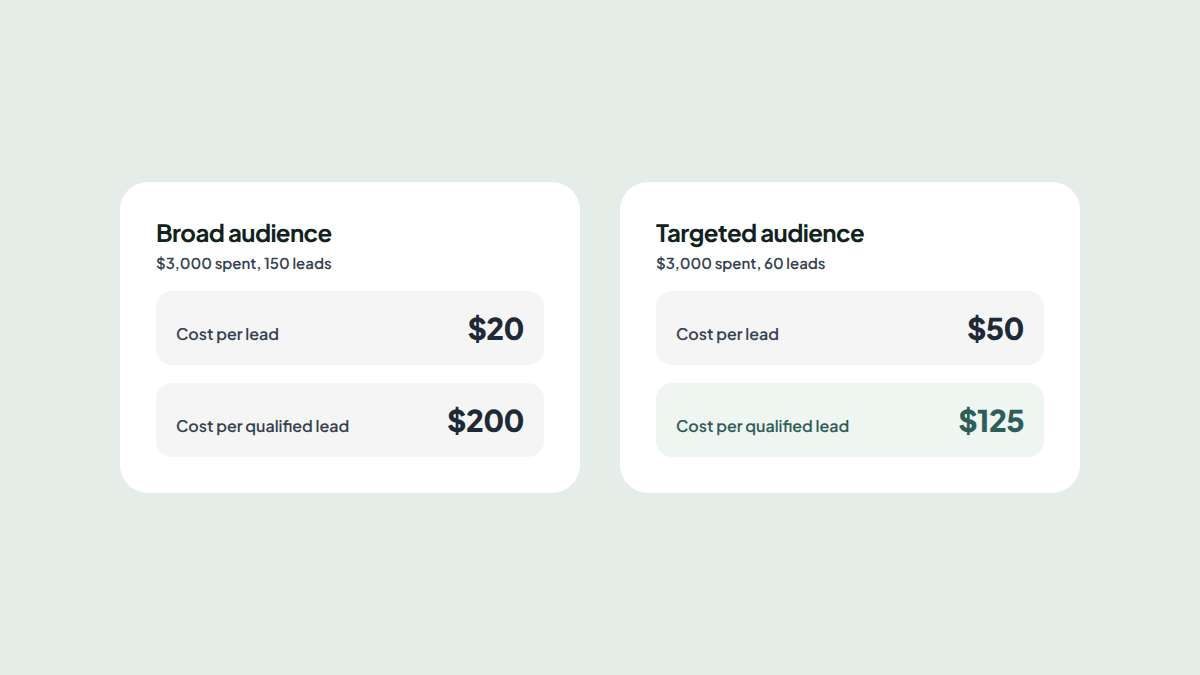
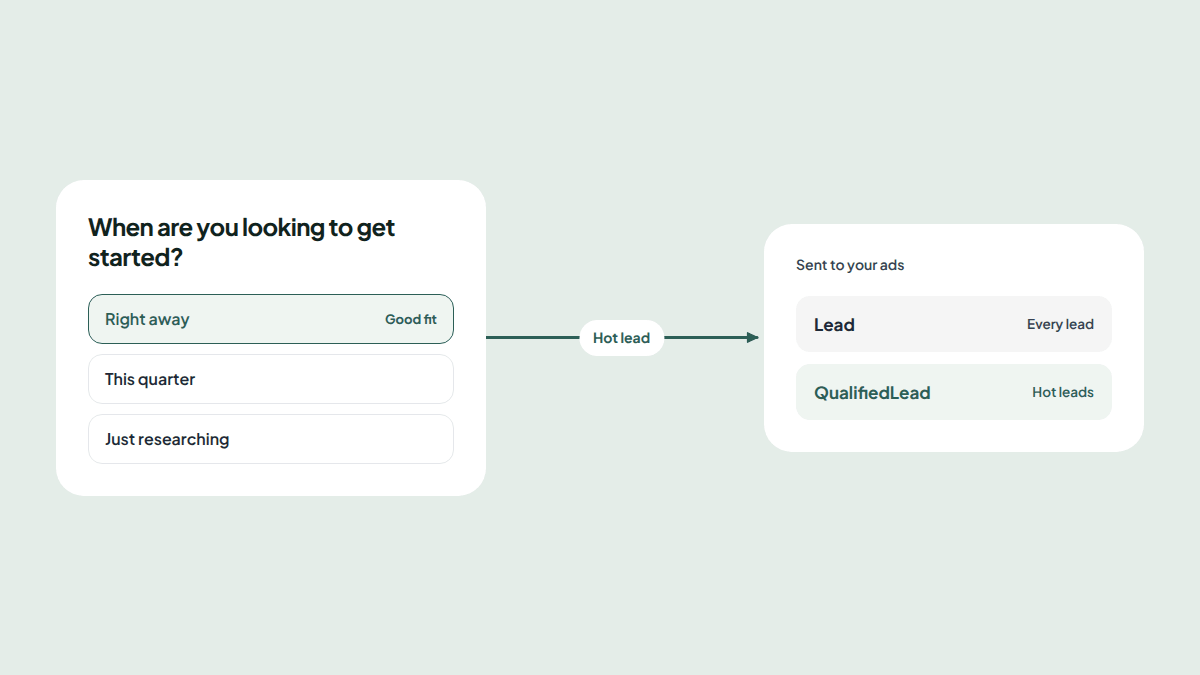
Optimising for every Lead teaches Meta to find people who fill in forms. Optimising for qualified leads teaches it to find people who buy.
Meta's own tests found that advertisers optimising for quality leads paid 15% less per quality lead on average than those optimising for all leads.
A practical setup sends two events:
| Event | When it fires | What you use it for |
|---|---|---|
| Lead | Every submission | Reporting, and optimisation while volume is low |
| QualifiedLead | Only when the lead meets your criteria | Optimisation once it fires steadily |
Start campaigns on Lead. Switch the optimisation to the QualifiedLead custom conversion once it fires often enough for Meta to learn from it. Our guide to lead quality covers how to decide which leads count.
How to test Meta pixel events
- Open Events Manager and choose your pixel.
- Go to Test events and enter your page's address.
- Use the page as a visitor would: open it, answer the form and submit.
- Check each event appears once, with the right name and parameters.
The Meta Pixel Helper browser extension shows which events a page sends, which is handy for checking a live page. If an event appears twice, look for a second copy of the pixel, for example one in your site's theme and one in a tag manager.
Conversions API vs Meta pixel
| Meta pixel | Conversions API | |
|---|---|---|
| Runs in | The visitor's browser | Your server, CRM or a partner tool |
| Set up | Paste a snippet or connect an integration | Needs a developer or a partner integration |
| Can be stopped by ad blockers | Yes | No |
| Can send events after the visit, such as a closed sale | No | Yes |
Meta recommends using both. When the same event arrives from the browser and the server with the same event ID, Meta counts it once. That is called deduplication:
fbq("track", "Lead", {}, { eventID: "response-8121" });Send the same event_id with the server event. Meta also rates server events with an event match quality score, which shows how well they can be matched to people on Facebook and Instagram.
How to track Meta pixel events on a Reuily form
Doing this by hand means custom code for every event and a way to judge each lead. A Reuily form does both: it scores every lead against your rules and sends Meta the result, without code.
- Connect the pixel. Open the form, go to Integrations, choose Meta Pixel and paste your pixel ID from Events Manager.
- Decide what qualifies. Make the form a Lead form and tag answers as Good fit or Not a fit. The lead generation template comes with budget and timing tagged.
- Turn on Mark hot leads as qualified. Hot leads then send QualifiedLead, ready to become a custom conversion.
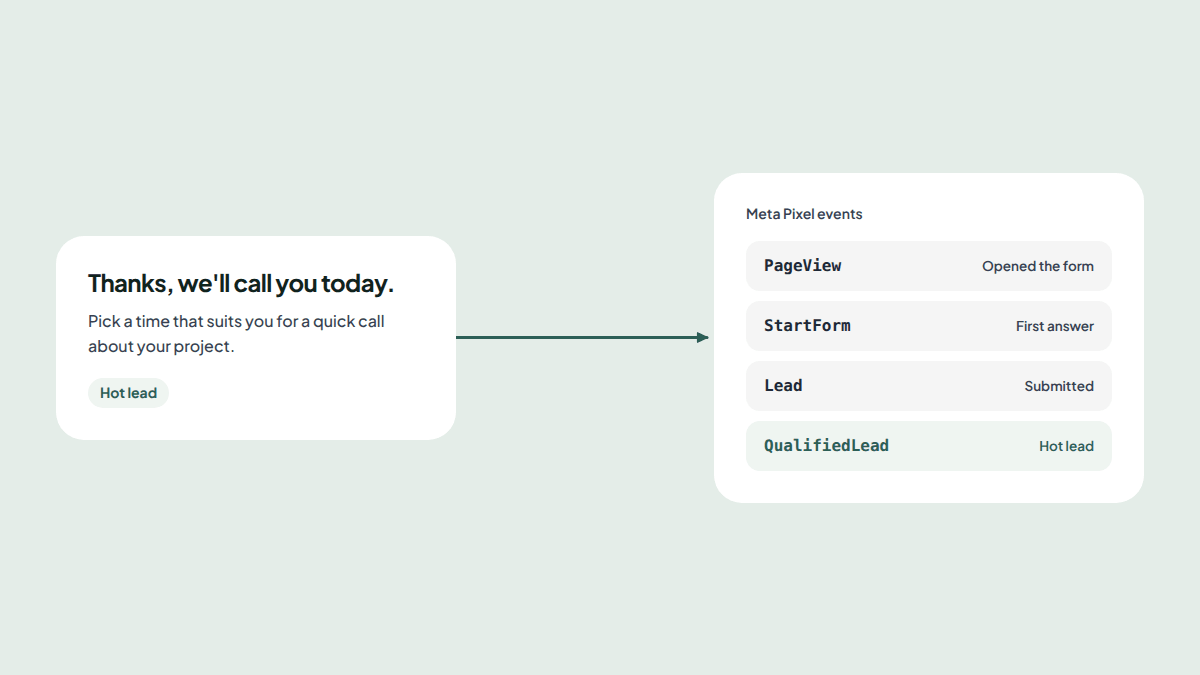
The form's link then sends:
- PageView when someone opens the form
- StartForm, a custom event, when they answer the first question
- Lead when they submit, with the response ID as the event ID for deduplication
- QualifiedLead when the answers meet your rules for a hot lead
It works the same way with Google Ads, Google Analytics 4 and TikTok: connect them on the same page, and hot leads count as qualified there too.
Next steps
- Use the lead generation template (opens in a new tab), then connect your Meta pixel from its Integrations page.
- Read how to find a good cost per lead and what qualified leads are.
- Browse all form templates.
Frequently asked questions
What are Meta pixel events?
Meta pixel events are actions people take on your website that the Meta pixel reports to Meta, such as viewing a page, submitting a form or making a purchase. Meta uses them to measure your ads, build audiences and show ads to people likely to take the same action.
What are the Meta pixel standard events?
Meta has 17 standard events, including Lead, Contact, CompleteRegistration, Schedule, SubmitApplication, Subscribe, StartTrial, ViewContent, Search, AddToCart, InitiateCheckout and Purchase. PageView is tracked automatically by the pixel's base code.
Which Meta pixel event should I use for a form?
Use Lead when someone submits a form to show interest or ask for a quote. Use CompleteRegistration for sign-ups, Schedule for bookings and SubmitApplication for applications. Fire the event once, when the submission succeeds, not when someone clicks the button.
How do I test Meta pixel events?
Open Events Manager, choose your pixel and go to Test events. Enter your page's address, use the page as a visitor would, and each event appears within seconds. The Meta Pixel Helper browser extension also shows which events a page sends.
What is the difference between the Conversions API and the Meta pixel?
The pixel sends events from the visitor's browser, so ad blockers, browser privacy settings and declined cookies can stop it. The Conversions API sends events from your server or CRM. Meta recommends using both, with a shared event ID so each event is counted once.
Can I optimise ads for a custom event?
Yes. Create a custom conversion from the custom event in Events Manager, then choose that custom conversion as the conversion event in your ad set. Give it time to collect enough conversions before judging results.
Is the Meta pixel still used?
Yes. The Meta pixel is still the standard way to measure website actions from Facebook and Instagram ads. Meta recommends adding the Conversions API alongside it, not replacing it.